Linux服务器Debian12系统Codex运行时提醒Codex could not find bubblewrap on PATH的解决方法
最近为了使用codex开发CMS系统,特意配置了一台Debian 12系统的服务器,用于全程开发自研CMS系统,目前上线了第一版 SEObjV2.01版本的站点,共上线10个站点在测试;
一、codex问题提示说明
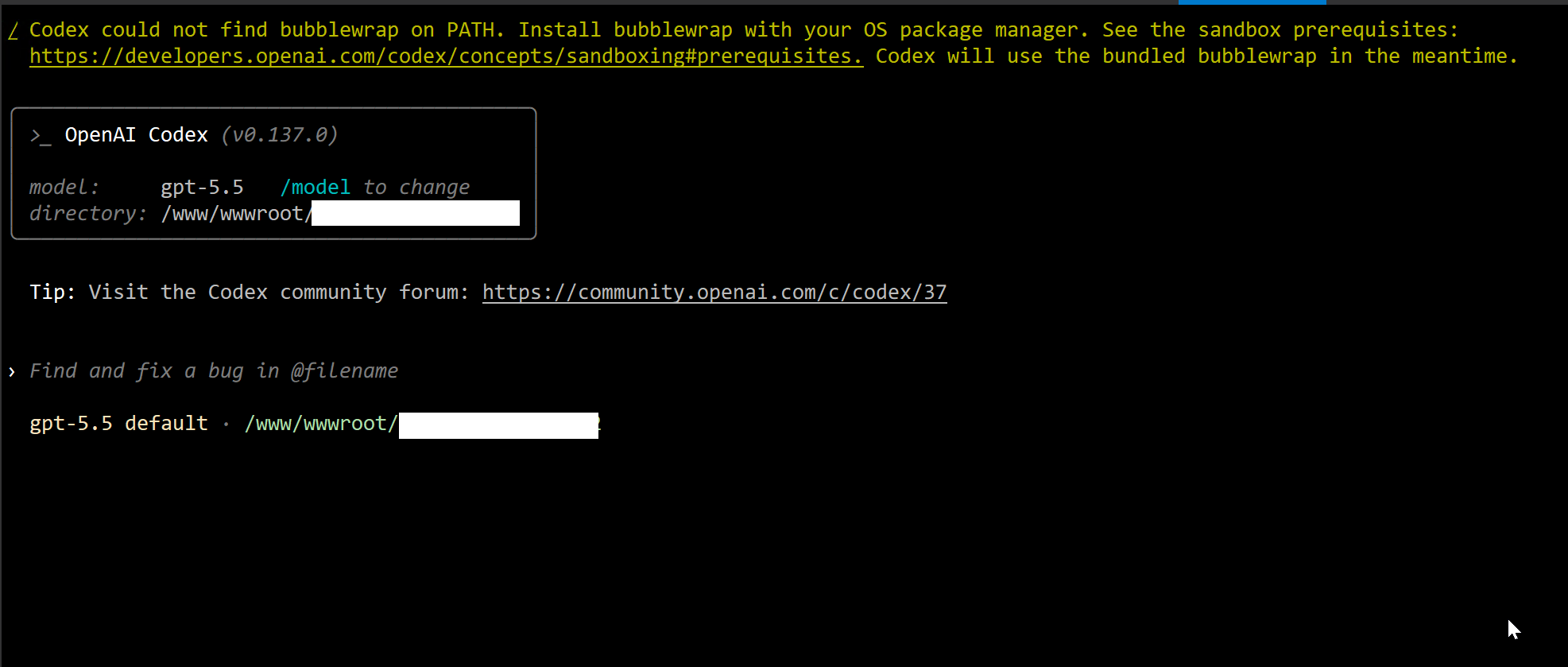
这两天在debian 12服务器上运行codex时,每次启动都会有一个提示信息:
Codex could not find bubblewrap on PATH. Install bubblewrap with your OS package manager. See the sandbox prerequisites:
https://developers.openai.com/codex/concepts/sandboxing#prerequisites. Codex will use the bundled bubblewrap in the meantime.
codex提示信息截图:
趁着最近计划开发新的CMS系统,统一规则服务器的开发环境及开发的通用标准文档,正好把服务器上提示的一些问题统一修复一下;
二、Codex问题解决方法
这个提示不是报错,只是警告(Warning),目前你的 Codex 已经正常启动了,可以正常使用。
从你的输出看:
⚠ Codex could not find bubblewrap on PATH.
Install bubblewrap with your OS package manager.
Codex will use the bundled bubblewrap in the meantime.
最后这一句最关键:
Codex will use the bundled bubblewrap in the meantime.
意思是:
系统没有找到 Linux 自带的 bwrap(bubblewrap),但是 Codex 内置了一个 bubblewrap,所以自动使用内置版本继续运行。
因此:
当前状态:
可正常使用
不会影响分析代码
不会影响修改文件
不会影响生成报告
什么是 Bubblewrap
Bubblewrap(bwrap)是 Linux 下的轻量级沙箱工具。
Codex 在执行:
读取文件
修改代码
运行命令
时,会优先放到沙箱中执行。
作用类似:
Docker(重型)
↓
Bubblewrap(轻量)
↓
普通进程
这样可以防止 AI 执行危险命令。
为什么你的服务器会提示这个
你的环境:
Debian 12
SSH
Codex CLI
大概率没有安装:
/usr/bin/bwrap
所以 Codex 检测时提示:
找不到系统版 bubblewrap
然后自动切换:
内置 bubblewrap
继续运行。
检查是否安装
执行:
which bwrap
如果输出:
/usr/bin/bwrap
说明已安装。
如果输出为空:
(no output)
说明未安装。
Debian 12 安装方法
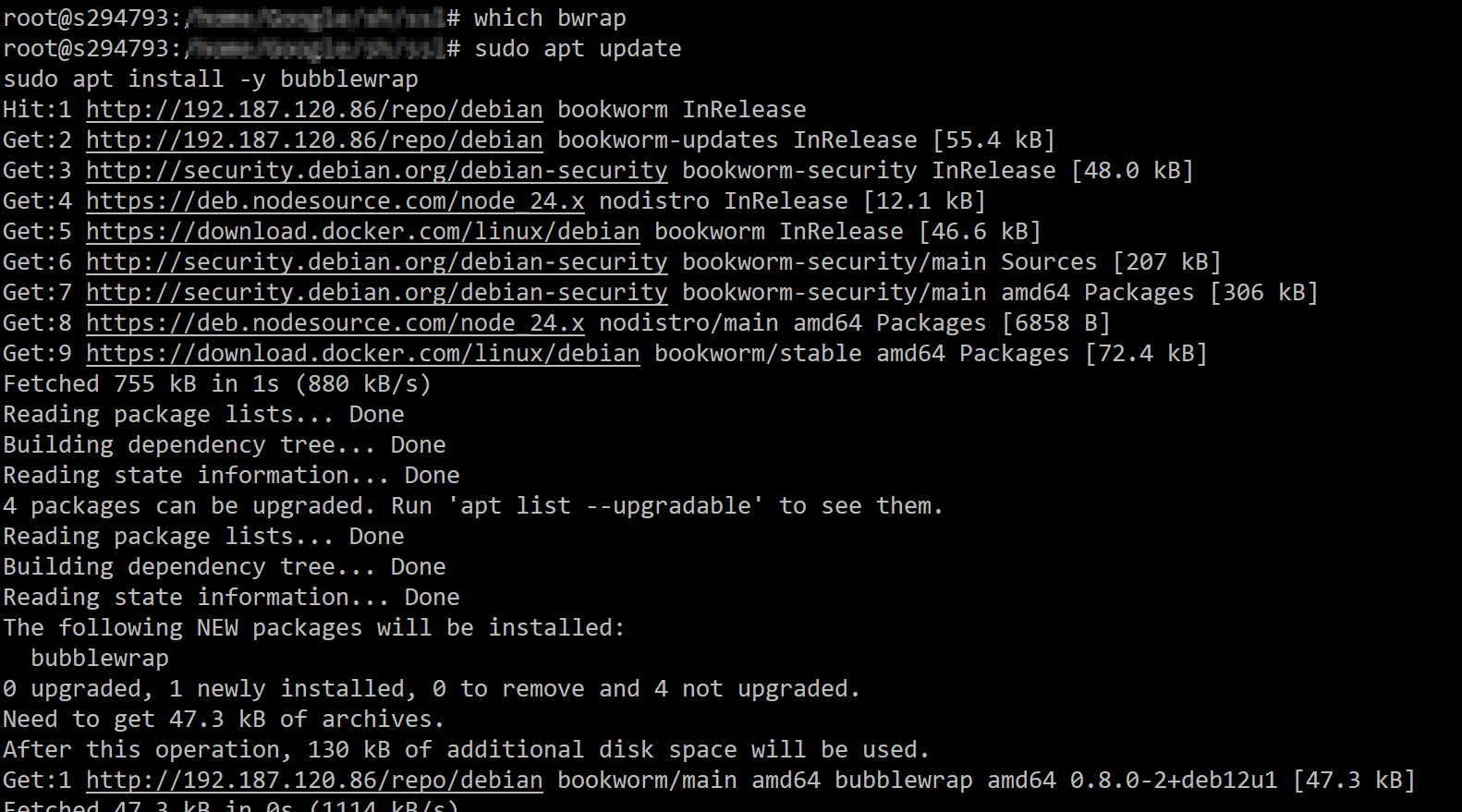
直接执行:
sudo apt update
sudo apt install -y bubblewrap
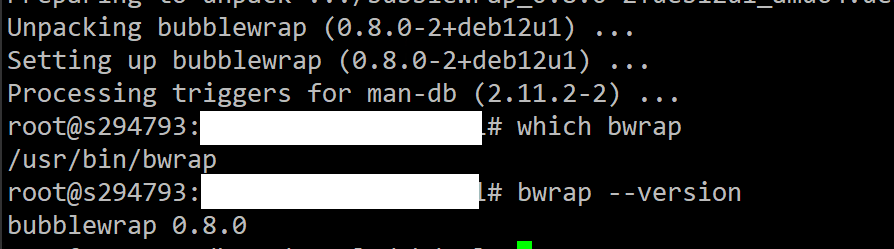
安装完成后:
which bwrap
应该返回:
/usr/bin/bwrap
然后重新打开 Codex。
警告一般会消失。
检查版本
bwrap –version
例如:
bubblewrap 0.8.x
或者:
bubblewrap 0.10.x
即可。
针对你的开发服务器建议
你这台服务器是:
96GB RAM
16C/32T
Debian 12
我建议直接安装系统版。
执行:
sudo apt update
sudo apt install -y bubblewrap
耗时:
10秒左右
安装包非常小。
安装后验证
执行:
which bwrap
bwrap –version
然后:
codex
如果没有看到:
could not find bubblewrap on PATH
说明已经正常使用系统版。
按照上述方法修复之后,重新执行 codex 指令时不会再有提示Codex could not find bubblewrap on PATH信息了